DICOM (Digital Imaging and Communications in Medicine) is the universal standard that makes it possible for medical images to move seamlessly between scanners, workstations, archives, and clinical applications. Without it, every vendor would speak a different language — and patient care would suffer. This pillar guide distills the essentials of the DICOM standard into a single, actionable resource for radiologists, biomedical engineers, and healthcare IT professionals who need to understand how medical imaging actually works behind the scenes.
The material draws heavily on Oleg S. Pianykh’s Digital Imaging and Communications in Medicine (DICOM): A Practical Introduction and Survival Guide (2nd edition, Springer, 2012), widely regarded as the most accessible technical reference on the subject. Whether you are configuring a new modality, troubleshooting connectivity issues, or evaluating a PACS platform, the concepts below will give you the foundation you need.
- What Is DICOM and Why Does It Matter?
- Introduction to DICOM and Clinical Data
- DICOM Command Objects and Practical Examples
- DICOM Communications and Network Protocols
- Integration with Medical Records and Patient Identification
- Clinical Workflows and Interoperability
- Choosing and Evaluating DICOM Implementations
- Frequently Asked Questions
- Conclusion and Next Steps
What Is DICOM and Why Does It Matter?
DICOM is the global standard that defines how medical images and associated metadata are formatted, stored, and transmitted across healthcare networks. It is not optional — virtually every imaging device sold today must support it.
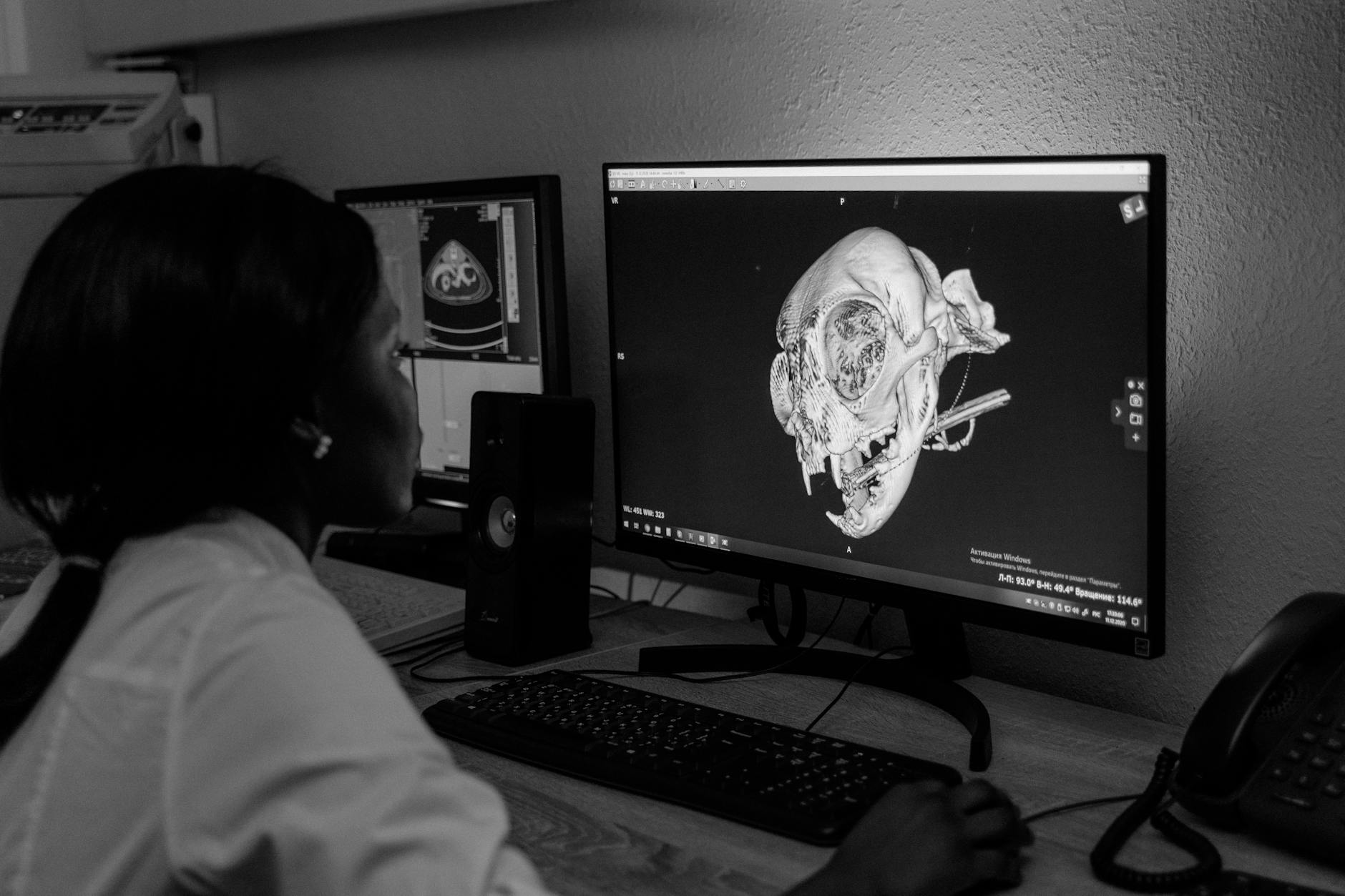
Developed under the joint stewardship of the American College of Radiology (ACR) and the National Electrical Manufacturers Association (NEMA), DICOM emerged in the early 1990s as a response to a real problem: imaging equipment from different vendors simply could not communicate. CT scanners, MRI machines, ultrasound systems, and X-ray units each had proprietary formats, and moving a study from one system to another often meant burning a film or re-entering patient data by hand.
Today, DICOM covers far more than image transfer. The standard specifies data structures (Information Object Definitions), network services (like C-STORE, C-FIND, and C-MOVE), media storage formats, and even web-based access through DICOMweb. It touches every step of the imaging chain — from the moment a technologist enters a patient’s name at the modality console to the instant a radiologist opens that study on a PACS workstation thousands of kilometers away.
Understanding DICOM is not just for engineers. Radiologists who grasp the basics can troubleshoot missing studies, identify metadata errors before they become patient-safety issues, and have far more productive conversations with their IT departments. Hospital administrators who understand DICOM can make better purchasing decisions and avoid costly integration surprises.
This guide is organized around five core topic areas — each explored in depth in its own dedicated spoke article. Think of this page as your map. The spoke articles are where you will find step-by-step detail, worked examples, and configuration guidance.
Introduction to DICOM and Clinical Data
DICOM is, at its core, a language for describing medical images and the clinical context that surrounds them. Before you can do anything useful with the standard, you need to understand how that language is structured — starting with the Data Dictionary and Value Representations.
The DICOM Data Dictionary is essentially a massive lookup table. Every piece of information that can be stored in a DICOM file — the patient’s name, the study date, the pixel data itself, the tube current used during acquisition — is assigned a unique DICOM Tag, expressed as a pair of hexadecimal numbers like (0010,0010) for Patient Name. The Data Dictionary lists thousands of these tags, organized by group. Group 0010 handles patient demographics, group 0020 covers study and series identifiers, and group 7FE0 contains the actual pixel data.
Each tag also has a defined Value Representation (VR) — a data type that tells software how to interpret the bytes. Common VRs include PN (Person Name), DA (Date), DS (Decimal String), and OW (Other Word, used for pixel data). Getting VRs wrong is a surprisingly common source of interoperability failures. A date stored as a free-text string instead of the DA format (YYYYMMDD) will parse correctly on the system that created it but may break downstream applications that expect strict formatting.
Pianykh dedicates the opening chapters of his book to driving home a point that is easy to overlook: DICOM is not just about images. It is about clinical data. A DICOM object carries patient identity, study context, acquisition parameters, and institutional information alongside the pixel matrix. This rich metadata is what allows a PACS to organize studies, a reporting system to pre-populate fields, and a dose-tracking application to audit radiation exposure — all without manual data entry.
The practical implication is that data quality at the source matters enormously. If a technologist misspells a patient name or selects the wrong protocol, that error propagates through every downstream system that touches the DICOM object. Understanding the Data Dictionary helps you anticipate where these problems occur and build validation checks to catch them early.
dcmdump or the Innolitics DICOM browser.
For a deep dive into DICOM data structures, tags, VR types, and how clinical data flows from modality to archive, read the full spoke article:
👉 Introduction to DICOM and Clinical Data — Data Dictionary, VRs, and How It All Fits Together
DICOM Command Objects and Practical Examples
Command objects are the verbs of the DICOM language — they tell systems what to do with the data. Without them, DICOM files would just sit on disk with no way to move, query, or retrieve them across a network.
The most frequently encountered DICOM commands fall into the C-DIMSE family (Composite DICOM Message Service Elements). Here is a quick orientation:
- C-STORE: Sends a DICOM object (image, structured report, etc.) from one system to another. This is the fundamental “push” operation.
- C-FIND: Queries a remote system’s database for studies matching certain criteria — patient name, date range, modality, accession number.
- C-MOVE: Instructs a remote system to send matching objects to a specified destination. Despite its name, it is really a “fetch” triggered from the querying side.
- C-GET: Similar to C-MOVE, but the objects are returned directly to the requester rather than to a third-party destination.
- C-ECHO: The simplest command — a network ping that verifies two DICOM nodes can communicate. It is the first thing you test when setting up a new connection.
Each command operates within the framework of a Service-Object Pair (SOP). A SOP Class combines an Information Object Definition (the “what”) with a DICOM service (the “how”). For example, the CT Image Storage SOP Class pairs the CT Image IOD with the C-STORE service. When two systems negotiate a DICOM association, they agree on which SOP Classes they both support — and reject those they do not.
Pianykh’s book dedicates considerable attention to the Private Data Dictionary — vendor-specific tags that extend the standard. Every major manufacturer (GE, Siemens, Philips, Canon) adds proprietary tags to store information the standard does not cover, such as advanced reconstruction parameters or AI-derived measurements. Private tags live in odd-numbered groups (e.g., 0009, 0019, 7005) and are technically legal under DICOM rules, but they create interoperability headaches when systems that do not recognize them strip or misinterpret the data.
DICOM Conformance Statements are the documents where vendors declare exactly which SOP Classes, Transfer Syntaxes, and optional features their products support. Reading conformance statements is a learned skill — they can run to hundreds of pages — but it is an essential one. Before connecting any two DICOM systems, comparing their conformance statements will reveal potential incompatibilities that are far cheaper to address during planning than after go-live.
A practical example: suppose you are integrating a new MRI scanner with your existing PACS. The scanner’s conformance statement lists Enhanced MR Image Storage as a supported SOP Class, but your PACS only supports the legacy MR Image Storage class. Unless one side can convert between the two, studies will fail to archive — and you will discover the problem at 2 AM when the on-call technologist calls to report that images are “not going through.”
For worked examples of DICOM commands, Private Data Dictionary handling, and conformance statement analysis, see the dedicated spoke article:
👉 DICOM Command Objects and Practical Examples — C-STORE, C-FIND, SOPs, and Conformance
DICOM Communications and Network Protocols
DICOM runs on top of standard TCP/IP networking, but it adds its own session layer — the DICOM Upper Layer Protocol — to manage connections between imaging systems. Understanding this layer is essential for anyone who configures or troubleshoots DICOM connectivity.
Every DICOM network exchange begins with an Association. Think of it as a handshake: the requesting system (SCU — Service Class User) proposes a connection to the responding system (SCP — Service Class Provider), listing the SOP Classes and Transfer Syntaxes it wants to use. The SCP reviews the proposal, accepts or rejects each item, and if at least one item is accepted, the association is established. Data transfer can then proceed.
This negotiation step is where many connectivity problems surface. Common failure modes include:
- AE Title mismatch: Each DICOM node has an Application Entity (AE) Title — a short identifier (up to 16 characters). If the calling AE Title does not match what the receiving system expects, the association is rejected.
- Port misconfiguration: DICOM traditionally uses port 104 (or 11112 for non-privileged access), but any port can be configured. Firewalls that block the chosen port will prevent associations from forming.
- Transfer Syntax disagreement: If the SCU proposes only Explicit VR Little Endian but the SCP only accepts Implicit VR Little Endian, the SOP Class negotiation fails for that item.
echoscu and storescu are invaluable for command-line testing.
Beyond basic associations, DICOM supports several networking patterns that are worth understanding. Query/Retrieve (Q/R) uses C-FIND to search and C-MOVE to fetch, and it requires the PACS to be able to open a reverse connection back to the requester — a detail that catches many administrators off guard when firewalls or NAT are involved. DICOM Modality Worklist (MWL) allows scanners to pull scheduled procedure information from the RIS or HIS, eliminating manual patient data entry at the modality and reducing transcription errors.
More recently, DICOMweb has introduced RESTful HTTP-based services (WADO-RS, STOW-RS, QIDO-RS) that complement the traditional binary protocol. DICOMweb is especially relevant for cloud-based PACS deployments, zero-footprint viewers, and mobile applications. It does not replace the traditional protocol for high-volume, modality-to-PACS transfers, but it simplifies many integration scenarios that previously required complex networking configurations.
Pianykh’s treatment of DICOM networking (Part III of his book) remains one of the clearest explanations available. He walks through association negotiation byte by byte, which is exactly the level of detail you need when staring at a Wireshark capture trying to figure out why two systems refuse to talk to each other.
For a complete walkthrough of DICOM network architecture, association negotiation, and troubleshooting methodology, read the spoke article:
👉 DICOM Communications and Network Protocols — Associations, AE Titles, and DICOMweb
Integration with Medical Records and Patient Identification
DICOM does not exist in isolation — it must integrate with hospital information systems (HIS), radiology information systems (RIS), and electronic health records (EHR). The bridge between imaging and clinical records is built on patient identifiers, HL7 messaging, and careful data governance.
The most critical integration point is patient identification. In DICOM, a patient is identified by a combination of tags: Patient ID (0010,0020), Patient Name (0010,0010), Patient Birth Date (0010,0030), and often Issuer of Patient ID (0010,0021). These must match across the imaging chain — from the order in the RIS to the study on the modality to the archived object in the PACS. When they do not match, studies become “orphaned” or attached to the wrong patient, creating both clinical and legal risks.
HL7 (Health Level Seven) is the messaging standard that carries patient demographic and order information between clinical systems. When a physician orders a CT scan, the RIS sends an HL7 ORM (Order) message to the modality or broker system. That system translates the relevant fields into DICOM Modality Worklist entries, which the scanner queries via C-FIND. After the study is completed, the PACS may send an HL7 ORU (Result) message back to the EHR to notify clinicians that images are available for review.
This HL7-to-DICOM translation layer is where many integration errors originate. Character encoding differences, name format conventions (Last^First^Middle vs. First Last), and identifier mapping inconsistencies are all common pitfalls. Pianykh devotes Part IV of his book to these challenges, emphasizing that successful DICOM integration requires understanding not just the imaging standard but also the broader healthcare interoperability ecosystem.
Account numbers and accession numbers deserve special attention. The Accession Number tag (0008,0050) is the key that links a DICOM study to the corresponding order in the RIS. It is the single most important field for ensuring that images appear in the correct clinical context. Many facilities also use the Scheduled Procedure Step ID and Requested Procedure ID for finer-grained tracking, particularly when a single order spawns multiple imaging series.
Patient reconciliation — the process of merging or correcting patient records after identification errors — is another area where DICOM and HL7 must cooperate. HL7 ADT (Admit/Discharge/Transfer) messages can trigger patient merge operations in the PACS, but the implementation varies widely between vendors. Some systems handle merges gracefully; others require manual intervention by a PACS administrator. Knowing your system’s capabilities before a merge event occurs is essential.
For detailed guidance on HL7 integration, patient identification strategies, and accession number workflows, see the full spoke article:
Clinical Workflows and Interoperability
Standards alone do not guarantee interoperability — you also need agreed-upon workflows that specify when, where, and how data moves between systems. That is exactly what IHE (Integrating the Healthcare Enterprise) provides, and it is the bridge between DICOM theory and clinical reality.
IHE does not create new standards. Instead, it defines Integration Profiles that specify how existing standards (DICOM, HL7 v2, HL7 FHIR, and others) should be applied to solve specific clinical problems. The most relevant IHE profiles for imaging include:
- Scheduled Workflow (SWF): Covers the entire imaging chain from order entry to image availability, defining how RIS, modality, and PACS interact using HL7 and DICOM messages.
- Patient Information Reconciliation (PIR): Addresses the problem of studies acquired under incorrect or temporary patient identities (e.g., trauma patients registered as “Unknown”).
- Cross-Enterprise Document Sharing for Imaging (XDS-I.b): Enables image sharing across institutional boundaries — critical for teleradiology, tumor boards, and health information exchanges.
- Web-based Image Access (WIA): Leverages DICOMweb for browser-based image retrieval without proprietary plugins.
HL7 v3 and FHIR represent the evolution of healthcare messaging. While HL7 v2 remains dominant in production environments, FHIR (Fast Healthcare Interoperability Resources) is rapidly gaining ground, especially for new deployments. FHIR’s RESTful architecture aligns naturally with DICOMweb, and the ImagingStudy FHIR resource provides a standardized way to reference DICOM studies within an EHR context. For imaging professionals, understanding at least the basics of FHIR is becoming increasingly important.
Transfer Syntaxes are a DICOM concept that has major workflow implications. A Transfer Syntax defines how pixel data is encoded — uncompressed, JPEG lossy, JPEG lossless, JPEG 2000, or RLE. Different modalities, PACS systems, and viewers support different Transfer Syntaxes, and mismatches can cause display failures or unnecessary image decompression/recompression cycles that degrade performance or image quality.
For most radiology departments, a practical approach is to archive images in a lossless compressed format (JPEG Lossless or JPEG 2000 Part 1 Lossless) and transcode to other syntaxes on-the-fly for specific use cases. This balances storage efficiency with diagnostic fidelity. However, some modalities (particularly ultrasound and certain older CTs) may produce images in uncommon Transfer Syntaxes that require special handling.
The connection between DICOM workflows and clinical outcomes is direct. A well-implemented DICOM workflow reduces turnaround times, minimizes repeat examinations, prevents patient identification errors, and supports clinical decision-making by ensuring that the right images are available to the right clinician at the right time. A poorly implemented workflow does the opposite — and the costs, both financial and clinical, can be substantial.
For a comprehensive treatment of IHE profiles, HL7 v3/FHIR integration, Transfer Syntax management, and workflow optimization, read the full spoke article:
👉 Clinical Workflows and Interoperability — IHE Profiles, FHIR, and Transfer Syntaxes
Choosing and Evaluating DICOM Implementations
Not all DICOM implementations are created equal. The standard is large — over 4,000 pages in its current edition — and no single product implements every feature. Knowing how to evaluate implementations is a practical skill that saves time and money.
Start with the Conformance Statement. Every DICOM product is required to publish one, and it is your primary tool for assessing compatibility. Key sections to review include:
- Supported SOP Classes: Does the system handle the image types you need (CT, MR, US, DX, etc.)? Does it support Structured Reports, Key Object Selection, and other non-image objects?
- Networking roles: Does the system act as SCU, SCP, or both for each service? Can it handle concurrent associations?
- Transfer Syntaxes: Which compression schemes are supported? Can the system transcode between them?
- Character Set support: If your facility serves a multilingual patient population, does the system handle extended character sets correctly?
Beyond conformance statements, consider the vendor’s track record in IHE Connectathon testing. IHE Connectathons are multi-day interoperability testing events where vendors demonstrate that their products work correctly with systems from other manufacturers. Products that have successfully completed Connectathon testing for relevant profiles are generally more reliable in production.
Open-source DICOM toolkits deserve mention as well. DCMTK (from OFFIS) and pydicom (Python) are widely used for testing, scripting, and custom development. For PACS functionality, Orthanc provides a lightweight, open-source DICOM server that is excellent for development, testing, and smaller clinical deployments. These tools are invaluable for validating vendor claims and for building custom integration bridges that commercial products do not offer.
Frequently Asked Questions
What is the difference between DICOM and HL7?
DICOM handles medical images and imaging-related data. HL7 handles clinical and administrative messages (orders, results, patient demographics). In a typical radiology workflow, HL7 carries the order from the RIS to the modality worklist broker, and DICOM carries the images from the modality to the PACS. The two standards are complementary, not competing. Read more about healthcare interoperability standards.
Can DICOM files be opened without special software?
DICOM files have a specific binary format that general-purpose image viewers cannot read. However, many free DICOM viewers are available — Horos (macOS), RadiAnt (Windows), and 3D Slicer (cross-platform) are popular choices. For programmatic access, pydicom (Python) and DCMTK (C++) are the standard tools.
What is a DICOM tag, and why should I care?
A DICOM tag is a unique identifier (expressed as two hexadecimal numbers) for a specific piece of data within a DICOM object. Tags are how DICOM organizes everything from the patient’s name to the pixel data. Understanding commonly used tags helps you troubleshoot display errors, query PACS effectively, and validate data quality.
How does DICOM Modality Worklist reduce errors?
The DICOM Modality Worklist service allows scanners to pull scheduled procedure information directly from the RIS. Instead of a technologist manually typing the patient’s name, ID, and procedure details — a process prone to typos and transpositions — the scanner retrieves this information electronically. This dramatically reduces demographic entry errors and ensures imaging studies are linked to the correct orders.
Conclusion and Next Steps
DICOM is the backbone of modern medical imaging. It is not glamorous, and it is not simple — but it is essential. The professionals who understand it are the ones who keep imaging departments running smoothly, who catch integration problems before they affect patient care, and who make informed decisions about technology investments.
This hub article has given you the map. The five spoke articles provide the territory:
- Introduction to DICOM and Clinical Data — Data Dictionary, Value Representations, and Information Object Definitions
- DICOM Command Objects and Practical Examples — C-STORE, C-FIND, SOP Classes, and Conformance Statements
- DICOM Communications and Network Protocols — Associations, AE Titles, Transfer Syntaxes, and DICOMweb
- Integration with Medical Records and Patient Identification — HL7 messaging, accession numbers, and patient reconciliation
- Clinical Workflows and Interoperability — IHE profiles, FHIR, and workflow optimization
Start with whichever topic is most relevant to your current challenge. If you are new to DICOM entirely, begin with Spoke 1 and work through sequentially. If you are troubleshooting a specific connectivity problem, jump straight to Spoke 3. And if your facility is planning a major system integration, Spoke 5 on workflows and interoperability should be your starting point.
The DICOM standard will continue to evolve — new supplements, new SOP Classes, deeper integration with AI and cloud platforms. But the fundamentals covered here and in Pianykh’s book will remain relevant for years to come. Master them, and you will be well equipped to handle whatever the imaging world throws at you next.
Reference: Pianykh, O. S. (2012). Digital Imaging and Communications in Medicine (DICOM): A Practical Introduction and Survival Guide (2nd ed.). Springer. ISBN 978-3-642-10849-5.