
HIS-RIS-PACS Integration: Why Is It Still So Difficult?
Integrating hospital systems shouldn’t be this hard — yet it remains one of the most persistent challenges in healthcare IT. Connecting your HIS (Hospital Information System), RIS (Radiology Information System), and PACS (Picture Archiving and Communication System) requires far more than buying all three from one vendor. In practice, that seemingly simple decision can become the root of your biggest operational headaches. For a complete overview of the DICOM ecosystem and clinical applications, check out our comprehensive guide to DICOM in clinical practice.

There are three classic integration scenarios, and understanding each one before investing hundreds of thousands of dollars in infrastructure is well worth your time.
The “Worst” Scenario: Manual Integration
Believe it or not, this is still the most common setup. The radiologist works with RIS on one monitor and PACS on another, manually typing the accession number or patient name to find corresponding images. Then they dictate the report, a transcriptionist types it into RIS, the physician signs it manually — and the cycle repeats. The keyword here is manual. It’s inefficient, error-prone, and frustrating for everyone involved.
The “Bad” Scenario: Vendor Lock-In
The natural reaction is to seek an all-in-one solution from a single vendor. It looks elegant but comes with serious pitfalls. First, you become vendor-dependent — any future expansion to new sites or devices from another manufacturer means starting from scratch. Second, behind the polished packaging, the vendor likely acquired components from smaller companies and repackaged them. The original developers cashed out and left; the current team may not share the same commitment to quality.
The “Ideal” Scenario: Standards-Based Integration
The most robust approach — though more labor-intensive initially — is building a multivendor integration strictly based on HL7 and DICOM standards. Select each component carefully, demand standards compliance, and test everything thoroughly before paying. Once the initial problems are sorted and data starts flowing, you’ll know the system works correctly — not by accident.
From HL7 2.x to 3.0: The XML Revolution in Clinical Data
The HL7 protocol underwent a radical transformation. While versions 2.x used a pipe-delimited format to separate data fields, HL7 3.0 abandoned that syntax entirely and adopted XML as its native language. Here’s how an EVN (event) segment changed format:
HL7 2.x (pipe format):
EVN|A08|200601080823|200601080823|01HL7 3.0 (XML format):
<EVN_EventType>
  <EVN.1_EventTypeCode>A08</EVN.1_EventTypeCode>
  <EVN.2_DateTimeOfEvent>200601080823</EVN.2_DateTimeOfEvent>
  <EVN.3_DateTimePlannedEvent>200601080823</EVN.3_DateTimePlannedEvent>
  <EVN.4_EventReasonCode>01</EVN.4_EventReasonCode>
</EVN_EventType>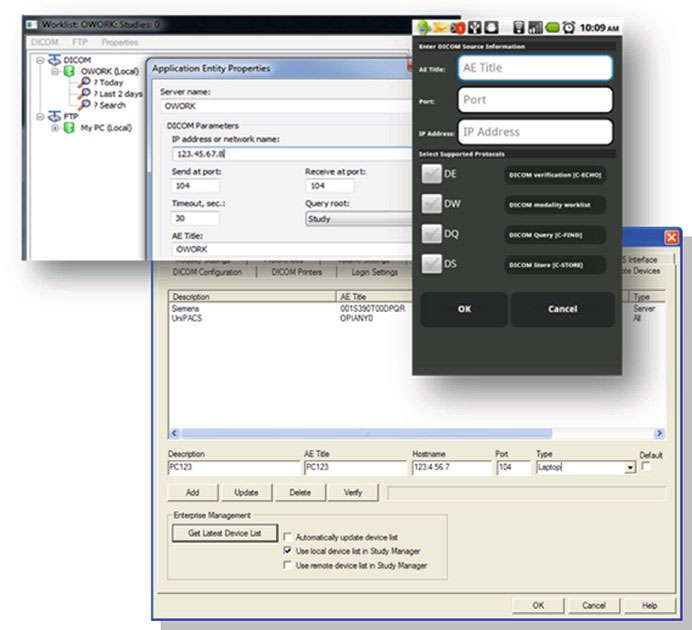
This wasn’t a cosmetic change. HL7 3.0 adopted object-oriented design to represent the entire information flow as interactions between data objects — similar to what DICOM 3.0 had already done. However, the majority of hospital systems still use HL7 2.x because migration is costly and complex.
A critical point: just because an application supports XML doesn’t mean it supports HL7 3.0. XML is merely the language of the standard — implementing HL7 3.0 requires full support for the information model with its objects, messages, and events. If you’re shopping for a new HIS or RIS, look for XML-based HL7 3.0 support, but make sure it also offers backward compatibility with HL7 2.x.
IHE: Integration Profiles That Make Standards Work
By 1998, it was clear that standards alone don’t guarantee efficient integration. That’s when the IHE (Integrating the Healthcare Enterprise) initiative was born, with a pragmatic mission: define integration profiles that coordinate the combined use of DICOM and HL7 to solve real interoperability problems.
In practice, each IHE profile defines exactly which transactions, standards, and formats each actor (system or application) must follow for the integration to work. Some of the most relevant profiles for radiology include:
- Scheduled Workflow (SWF): integrates ordering, scheduling, acquisition, storage, and viewing of radiology exams — the profile that keeps HIS-RIS-PACS working in sync
- Patient Information Reconciliation (PIR): coordinates record reconciliation when images are acquired for unidentified patients (trauma cases, for example)
- Portable Data for Imaging (PDI): ensures reliable interchange of image data and reports on CDs
- Cross Enterprise Document Sharing (XDS/XDS-I): shares documents and images across healthcare enterprises
- Charge Posting (CHG): provides procedure details from modalities to billing systems
Vendors participate in connectathons — hands-on interoperability tests organized by IHE — to validate their products’ compliance. Before purchasing any system, ask the vendor which IHE profiles they support. For more details on DICOM standards and communications, also see our article on DICOM structure and communications.
Disaster Recovery: When PACS Must Survive Chaos

The experience of Hurricanes Katrina and Rita in 2005 revealed devastating failures in PACS systems considered “robust.” A major manufacturer’s PACS, installed on the seventh floor of a concrete building with redundant servers and backup generators, became completely inoperable. The servers survived physically — but without stable power, network connectivity, or technical staff on site, the system was dead.
The lessons learned are brutal:
- Severe power loss — lasted weeks, while neighboring cities just 50 miles away had normal power
- Connectivity loss — the telecom provider had its backup generators on the first floor; they were submerged in the flood
- Loss of technical personnel — everyone evacuated; many systems failed because there was nobody to press the restart button
- Total infrastructure collapse — no water, gas, power, or telecommunications for weeks
Modular Distributed PACS: The Only Real Answer
Conventional redundancy — duplicating components in the same location — has very little to do with real resilience. If a disaster hits your area, all your redundant servers go down together. The real solution lies in granularity: modular systems where each unit functions as a complete, self-sufficient PACS.
A truly resilient PACS should meet these conditions:
- Granularity: run fully on an average, off-the-shelf computer
- Scalability: interconnected modules should scale to a large hospital or regional network
- Server functionality: support DICOM SOPs in both client (SCU) and server (SCP) modes
- Dynamic networks: support DHCP and protocols like C-Get instead of static C-Move
- Self-healing: automatic discovery of alternative routes and retry of failed operations
- Compression and encryption: reduce traffic by up to 10x when the network is unstable
- Lightweight: installation around 10 MB, downloadable even on a dial-up connection
With this cloud-like design, the concept of downtime changes radically. In a centralized PACS, 0.1% unavailability means a full business day per year without the system. In a modular PACS, all modules would need to be destroyed simultaneously to achieve total unavailability.
Common Mistakes in PACS System Integration
In my experience accompanying integration projects, three mistakes repeat with alarming frequency:
- Ignoring data consistency at the foundation — before connecting any device, verify that patient IDs, date formats, and demographics are collected uniquely and consistently in the HIS. If reception types dates as MM/DD/YYYY, PACS uses YYYYMMDD (DICOM format), and the electronic patient record uses YY.MM.DD, you have a problem no technology will solve automatically
- Blindly trusting redundancy — adding redundancy to a poorly designed system only makes things worse. More components mean more synchronization, more failure points, more maintenance costs. As one expert put it: “adding more wheels to a car won’t make it go faster”
- Neglecting backup DICOM configuration — configure critical workstations to connect directly to modalities and to each other, not just to the central server. Those alternative routes could be your lifeline. Preconfigure backup IPs on modalities — when disaster strikes, you can spin up new servers with those IPs and have immediate alternative routing
When NOT to Centralize Your PACS
Total centralization seems efficient, but it’s an invitation to disaster in several situations:
- Multi-site operations: if your organization has multiple facilities, a centralized PACS creates a single point of failure dependency
- Regions with unstable infrastructure: areas prone to natural disasters, frequent power outages, or unreliable connectivity
- Rapid growth: monolithic systems don’t scale well; each new modality or site requires complex reconfiguration
- Teleradiology: remote radiologists need access independent of central server availability
The future clearly points to standards-based distributed architectures where each PACS module is self-sufficient and can take on additional responsibilities when other modules fail.
Final Considerations
Medical imaging system integration isn’t just a technical matter — it’s a patient safety issue. Inconsistent data, non-communicating systems, and fragile infrastructure put lives at risk. The combination of mature standards (DICOM and HL7), practical integration profiles (IHE), and resilient modular architectures offers a clear path to systems that work not only day-to-day but also when everything around them collapses.
If you’re planning or reviewing your radiology department’s integration, start with the foundation: clean data, respected standards, and independent modules that survive on their own.