
Best AI Auto-Contouring Software for Radiotherapy (2026)
AI auto-contouring can save time, reduce repetitive delineation work and improve consistency in radiotherapy planning — but the right platform depends on your clinical workflow, TPS ecosystem and how your team reviews contours. This guide compares 12 platforms, and shows where AutoSeg goes further: a browser-based contouring station with a built-in, evidence-grounded clinical assistant.
Quick answer: what is the best AI auto-contouring software for radiotherapy?
There is no single best option for every clinic. The best platform depends on your TPS ecosystem, modality support, deployment preferences, regulatory requirements and how your team reviews contours. A RayStation-native department, an Eclipse-heavy centre, a Siemens imaging site and a browser-first collaborative team may all need different solutions.
Use the comparison table and the “how to choose” criteria below to build a shortlist, then validate any tool on your own data before clinical use. Every platform on this page is designed to produce a starting point for organs-at-risk and selected planning structures — not to replace clinical review.
- There is no single best AI auto-contouring software — fit depends on your TPS, modalities, deployment and review workflow.
- AI auto-contouring targets organs-at-risk and selected planning structures; GTV/CTV and target definition remain physician-led.
- This guide compares 12 platforms: AutoSeg, Radformation AutoContour, Limbus Contour, Siemens AI-Rad Companion Organs RT, RayStation DLS, MVision Contour+, MIM ProtégéAI+, TheraPanacea ART-Plan, Mirada DLCExpert, Carina INTContour, Oncosoft OncoStudio and SegmentaR.
- AutoSeg (by RT Medical Systems) is a browser-based collaborative contouring station with a built-in, evidence-grounded clinical assistant for fractionation and dose questions.
- Regulatory status varies by country and product version — confirm directly with each vendor.
Top picks at a glance
Shortlist starting points by scenario. “Best for” reflects workflow fit, not an absolute ranking.
AutoSeg
Browser-based collaborative contour review with a vendor-neutral DICOM RTSTRUCT workflow — no single-workstation lock-in.
AutoSeg
Ask evidence-grounded questions about fractionation and dose in the case context — beyond drawing contours.
Radformation AutoContour
Broad multi-modality model library and tight Eclipse + QA-suite integration; cloud or on-prem.
RayStation DLS
Deep-learning segmentation built into the RayStation TPS — contour, edit and plan in one place.
AI-Rad Companion Organs RT
Siemens Healthineers cloud OAR contouring for sites on the teamplay platform.
MVision AI Contour+
Guideline-based segmentation (ESTRO/EPTN/RTOG) for OARs and lymph-node regions.
AI auto-contouring software comparison (2026)
Pricing is quote-only for every platform listed. “Confirm with the vendor” is shown for regulatory status and for any value without a reliable public source. Reviewed 2026 from public vendor information.
| Software | Best for | Structures / library | Modalities | Editing workflow | Access / deployment | TPS integration | Regulatory |
|---|---|---|---|---|---|---|---|
| ★ AutoSeg (RT Medical) | Browser collaboration + clinical AI assistant | Confirm with vendor | CT / MR | Browser-based collaborative review/editing | Browser (cloud) | Vendor-neutral DICOM RTSTRUCT | Subject to regulatory clearance in some markets |
| Radformation AutoContour | Eclipse shops / largest library + QA | ~480 models incl. 115 nodal (vendor) | CT, MR, CBCT, PET, 4D-CT | Own editor | Cloud or on-prem | Eclipse API + DICOM RTSTRUCT | Confirm with the vendor |
| Limbus AI (Limbus Contour) | Fully local / data sovereignty | ~260+ (vendor) | CT, MR, CBCT | Review in TPS (editor: verify) | On-prem / local (no GPU required) | DICOM RTSTRUCT | Confirm with the vendor |
| Siemens AI-Rad Companion Organs RT | Siemens / teamplay imaging sites | H&N / thorax / abdomen / pelvis; count not public | CT, MR (newer) | In-workflow; standalone editor not documented | teamplay cloud | DICOM RTSTRUCT | Confirm with the vendor |
| RayStation Deep Learning Segmentation | RayStation departments | ~201 models (v2025) | CT, MR | RayStation’s own tools (full TPS) | TPS-native, on-prem GPU | RayStation-native + Python scripting | Confirm with the vendor |
| MVision AI Contour+ | Guideline-based OAR + nodal standardization | ~159 OAR / 67 LN; up to 300+ (vendor) | CT, MR | “Verify” review; edit in TPS | Cloud + on-prem | DICOM; Eclipse / RayStation / Monaco | Confirm with the vendor |
| MIM Contour ProtégéAI+ | Vendor-neutral + AI-assisted editing | Confirm with vendor | CT (others verify) | Own platform, AI-assisted editing | MIM platform (server / cloud) | Vendor-neutral DICOM RTSTRUCT | Confirm with the vendor |
| TheraPanacea ART-Plan (Annotate) | Large library + synthetic-CT / adaptive | ~200–250+ (vendor) | CT, MR, CBCT (synthetic-CT) | Own web editor; mandatory user validation | Web (cloud); on-prem option | DICOM RTSTRUCT; Eclipse-ARIA / RayStation / Monaco-Mosaiq validated | Confirm with the vendor |
| Mirada DLCExpert | Hands-off “zero-click” OAR on CT | ~100–160 (version-dependent) | CT, MR | Downstream TPS | On-prem Workflow Box appliance | Vendor-neutral DICOM RTSTRUCT | Confirm with the vendor |
| Carina INTContour | US / Eclipse + local model retraining | ~120+ (vendor) | CT, MR, PET/CT | Own in-browser editor | Cloud / browser + automated DICOM | DICOM RTSTRUCT; Eclipse ESAPI | Confirm with the vendor |
| Oncosoft OncoStudio | Standalone OAR contouring on CT/MR | Regional CT/MR libraries; total not confirmed | CT, MR | Own editor (brush) | Standalone desktop / workstation app | DICOM RTSTRUCT / HL7-FHIR; native TPS plug-ins not confirmed | Confirm with the vendor |
| SegmentaR (Silva Ray) | Cloud CT OAR, no local GPU — Brazil | 47 (19 H&N · 15 thorax · 13 pelvis) | CT only | Not confirmed | Cloud (remote GPU) | DICOM (RTSTRUCT: verify) | Confirm with the vendor |
How to choose AI auto-contouring software
Score candidates against the criteria that actually drive fit in a radiotherapy department:
TPS ecosystem
Does it integrate natively with your TPS (Eclipse, RayStation, Monaco) or rely on DICOM RTSTRUCT interchange?
Deployment model
Cloud, on-premise, browser or TPS-native — and does it match your IT and data-residency policy?
Modalities
Confirm CT, MR, CBCT or PET support for the sites you actually treat — marketing scope often exceeds the supported scope.
Structure library
Which OARs and nodal/planning structures are covered for your protocols, and how are they named?
Editing workflow
Can clinicians review and correct contours easily — in the tool, or only after export to the TPS?
Regulatory status
Is the regulatory status acceptable in your country? Confirm current status and clinical-use permissions directly with each vendor.
DICOM interoperability
Clean RTSTRUCT import/export and standardized nomenclature reduce downstream rework.
Support & local language
Is support available in your language and time zone? This matters more than feature lists in day-to-day use.
Data privacy & security
Where is data processed and stored? Check encryption, retention and applicable data-protection rules.
Why AutoSeg stands out
AutoSeg is built for radiotherapy teams that need browser-based collaborative contour review without being locked into a single TPS workstation — with a vendor-neutral DICOM RTSTRUCT workflow. And it goes beyond drawing: a built-in clinical assistant brings evidence to the case.
- Browser-based review and editing
- Real-time multi-user collaboration
- Vendor-neutral DICOM RTSTRUCT workflow
- CT / MR support
- Built-in evidence-grounded clinical assistant
- Designed for Brazil / LATAM support needs
Regulatory status: subject to regulatory clearance in some markets. Like every tool on this page, AutoSeg produces a starting point that requires clinical review and approval.
Beyond contouring: the AutoSeg clinical assistant
AutoSeg is more than a drawing station. In the same workspace, it includes an AI clinical assistant that helps the radiation oncologist look up evidence on fractionation, dose and case-specific questions — with the case context already loaded.
How it works
With the CT or MR study, the drawn structures and patient data (such as age and sex) in context, the team can ask clinical questions and receive answers grounded in the scientific literature, with the references shown — all inside the same browser-based collaborative workspace.
It turns the contouring session into a place where imaging, structures and evidence sit side by side.
Questions you can ask
- What fractionation schemes are supported by the evidence for this case?
- What are the usual dose constraints for these organs-at-risk?
- What does the literature say about this clinical scenario?
- Help me find references for this decision.
Vendor-by-vendor reviews
Each review follows the same structure and reflects publicly available information reviewed in 2026. Confirm current regulatory status, integrations and structure libraries directly with each vendor for your region.
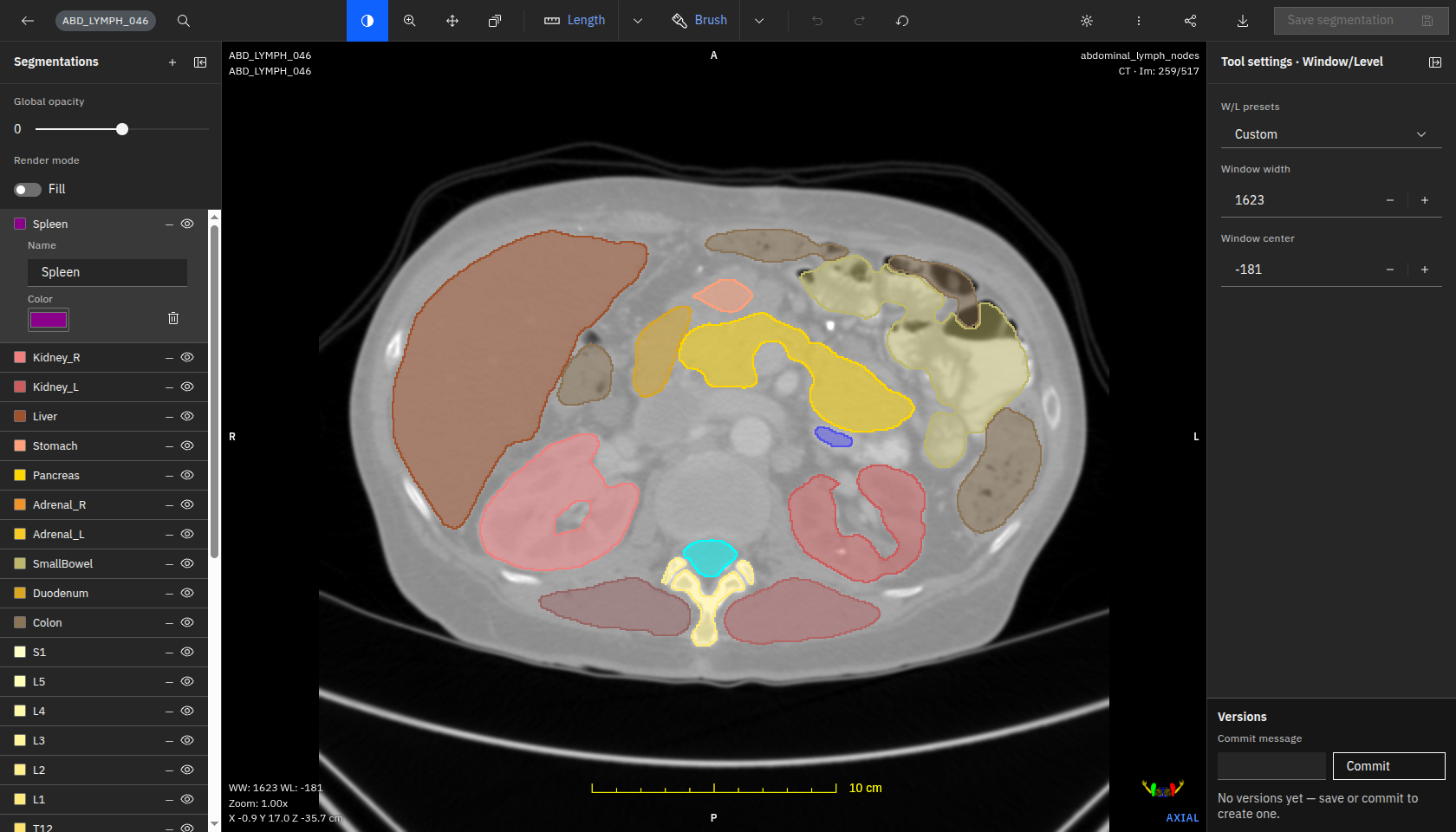
★ AutoSeg
Best for: browser collaboration + clinical AI assistant
What it does. AutoSeg is a browser-based AI auto-contouring and collaborative review tool for radiotherapy planning. It generates organ-at-risk and planning structures and delivers them as vendor-neutral DICOM RTSTRUCT, with multiple users able to review and edit in real time — plus a built-in clinical assistant that surfaces evidence in the case context.
- Browser-based, real-time multi-user collaboration
- Vendor-neutral DICOM RTSTRUCT — no lock-in to one TPS
- Built-in evidence-grounded clinical assistant (fractionation/dose questions in context)
- Local Brazilian vendor with Portuguese-language support
- Detailed structure counts and benchmarks should be confirmed with the vendor
- Regulatory status: subject to regulatory clearance in some markets
When to choose it: teams that want browser-based collaborative review, a vendor-neutral workflow, an evidence assistant in the case context and local support in Brazil/LATAM.
When to avoid it: sites that require independently published structure libraries and benchmarks before purchase.
Radformation AutoContour
Best for: Eclipse shops + largest model library
What it does. Deep-learning auto-contouring of OARs and CTVs plus auto-generation of optimization/planning structures from clinic templates, integrated with Radformation’s QA suite (ClearCheck/ClearCalc). Radformation acquired Limbus AI in 2024.
- Broad modality set (CT, MR, CBCT, PET, 4D-CT)
- Built-in editor and tight Eclipse + QA-suite integration
- Flexible cloud or on-premise deployment
- Vendor-stated “480 models” figure is not independently audited
- Best ROI assumes adoption of the wider Radformation ecosystem
When to choose it: Eclipse-centric or multi-modality clinics wanting integrated automation plus QA.
When to avoid it: if you need a minimal single-purpose tool, or strictly on-premise with no cloud component.
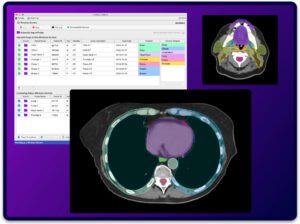
Limbus AI (Limbus Contour)
Best for: fully local / data sovereignty
What it does. Pre-trained, expert-curated models contour OARs and CTVs from CT/MR locally and export DICOM RTSTRUCT for review in the TPS. Now part of Radformation, with capabilities converging.
- Runs fully on local workstations — imaging data need not leave the network
- Low hardware requirements (no GPU required)
- Established regional regulatory footprint (confirm specifics with the vendor)
- Editing/review depth is largely TPS-dependent per public documentation
- Standalone positioning is in flux post-acquisition
When to choose it: sites that mandate data never leave the local network, or with limited GPU hardware.
When to avoid it: if you want a cloud-scalable service or a single integrated automation + QA suite.
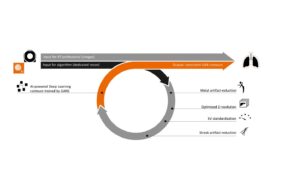
Siemens Healthineers AI-Rad Companion Organs RT
Best for: Siemens / teamplay imaging sites
What it does. Deep-learning auto-contouring of OARs on planning images (head & neck, thorax, abdomen, pelvis), delivered through the Siemens Healthineers teamplay cloud platform as part of the AI-Rad Companion family.
- Backed by Siemens with a long, repeatedly updated product history
- Cloud delivery with no local GPU burden
- Native fit for Siemens-platform / scanner ecosystems
- teamplay cloud dependency; regional availability varies
- No public structure count and limited public detail on in-tool editing
When to choose it: existing Siemens Healthineers / teamplay customers wanting cloud OAR contouring inside that ecosystem.
When to avoid it: if you need CBCT/PET contouring, an offline tool, or a documented large editable structure library today.
Context — Varian Ethos (separate product). Varian Ethos is an online adaptive radiotherapy treatment platform that re-images and re-plans on the linac, with its own integrated AI/deformable contouring and an automated planning engine. Varian is a Siemens Healthineers company, but Ethos and AI-Rad Companion Organs RT are different products, marketed separately — Ethos is not part of this auto-contouring software comparison.

RaySearch RayStation Deep Learning Segmentation
Best for: RayStation departments
What it does. Deep-learning auto-segmentation built into the RayStation TPS. Guideline-based models run locally on a GPU; generated ROIs are edited with RayStation’s own structure-definition tools.
- Embedded in a full TPS spanning photons/protons/ions and adaptive therapy
- On-premise execution (data stays on site) with strong scripting automation
- Large, regularly expanded model set (~201 models in v2025)
- Performance is structure-dependent; small/low-contrast structures need correction
- Most valuable only if you run (or will adopt) RayStation
When to choose it: departments on RayStation wanting in-workflow contouring across modalities and treatment types.
When to avoid it: if you run a different TPS and don’t want to adopt RayStation just for contouring, or need fully hands-off segmentation.
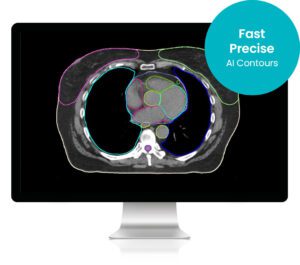
MVision AI Contour+
Best for: guideline-based OAR + nodal standardization
What it does. Cloud (or local) AI auto-segmentation of OARs and lymph-node regions, with “guideline-based segmentation” trained to follow published consensus guidelines (ESTRO, EPTN, RTOG, UK SABR) to reduce inter-observer variability.
- Explicit guideline-based standardization across CT and MR
- Documented regulatory presence in several regions (confirm for your region)
- Cloud (auto-updating) or on-premise deployment
- Editing story is unclear — review is confirmed, but clinicians likely refine in the TPS
- The usable model set can differ by market (the supported scope may be narrower than global marketing)
When to choose it: teams wanting guideline-standardized OAR/nodal contouring with vendor-managed updates, on Eclipse/RayStation/Monaco.
When to avoid it: if you require CBCT/PET contouring, confirmed local availability today, or a single tool that both generates and fully edits contours.

MIM Contour ProtégéAI+
Best for: vendor-neutral platform + AI-assisted editing
What it does. Deep-learning auto-contouring inside MIM’s vendor-neutral imaging platform. ProtégéAI+ adds AI-assisted editing/refinement on top of auto-generation. MIM is now part of GE HealthCare.
- Vendor-neutral DICOM platform — not locked to one TPS
- Long, repeatedly updated product track record, now with GE HealthCare backing
- AI-assisted editing tackles the review/correction bottleneck, not just generation
- Adds another platform/license rather than living natively in your TPS
- Public structure-count and full modality scope per version are not clearly documented
When to choose it: teams wanting vendor-neutral auto-contouring plus AI-assisted editing, decoupled from any single TPS.
When to avoid it: if you want contouring native to your existing TPS with no extra platform.
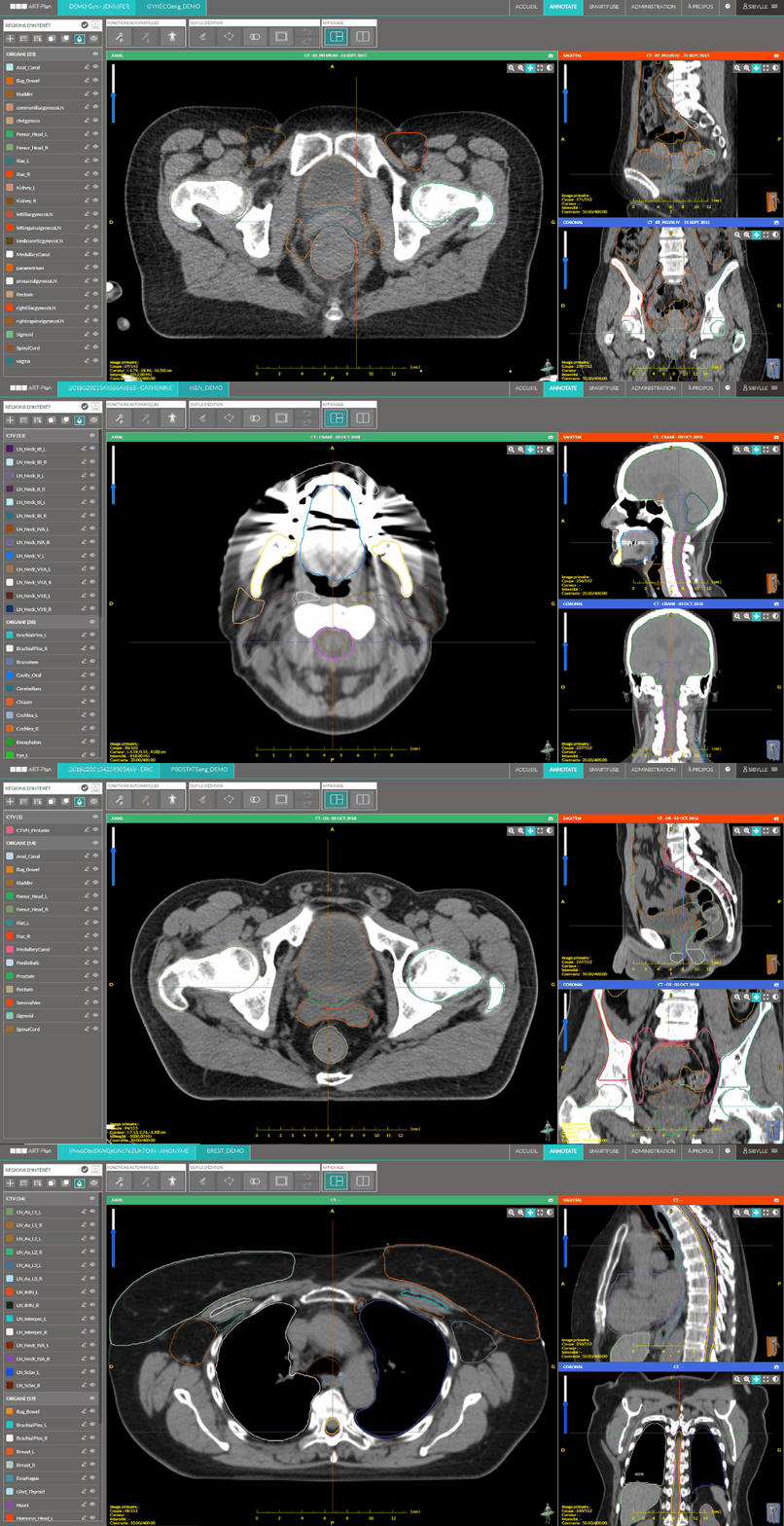
TheraPanacea ART-Plan (Annotate)
Best for: large library + synthetic-CT / adaptive
What it does. ART-Plan’s Annotate module auto-contours a large library of OARs, lymph nodes and CTV models, with its own web editor and mandatory qualified-user validation. The wider platform adds image fusion and synthetic-CT from MR/CBCT.
- Very large guideline-based library (200+, up to 250+ per vendor)
- Own web editor and RTSTRUCT export; validated against major TPS/OIS
- Actively maintained regulatory history across several regions
- Cloud-centric; on-prem specifics and data residency need confirmation
- Structure-count claims differ between vendor pages — verify the current figure
When to choose it: sites wanting a high-volume guideline-aligned engine plus synthetic-CT and fusion, on Eclipse-ARIA, RayStation or Monaco-Mosaiq.
When to avoid it: if you require a fully on-prem/air-gapped TPS-native plugin, or confirmed local availability before purchase.

Mirada DLCExpert
Best for: hands-off “zero-click” OAR on CT
What it does. Deep-learning OAR contouring delivered through Mirada’s Workflow Box “zero-click” appliance, which intercepts incoming CT studies, generates contours and auto-routes the RTSTRUCT to a destination. One of the first commercially available AI auto-contouring solutions.
- First-mover with independent and NHS/NICE-evaluated validation
- True hands-off automation, reportedly saving substantial contouring time
- Vendor-neutral via DICOM RTSTRUCT — slots into any TPS
- No documented dedicated editor; correction depends on the downstream TPS
- Modality breadth beyond CT/MR and named TPS integrations are not transparently published
When to choose it: high-volume automated OAR contouring on planning CT in a multi-TPS environment.
When to avoid it: when you need a built-in editor or confirmed CBCT/PET support.
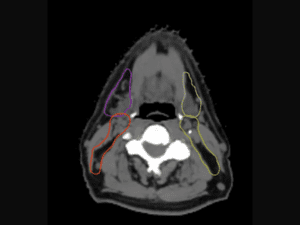
Carina INTContour
Best for: US / Eclipse + local model retraining
What it does. Software-only deep-learning auto-segmentation producing an initial OAR/target set for review and editing, with in-browser tools, an automated DICOM workflow and Eclipse ESAPI integration. The vendor also offers on-site model retraining and geometric QA.
- Software-only RT planning tool with an in-browser editor
- Flexible cloud/browser + automated DICOM + Eclipse/ESAPI
- Local model retraining and built-in geometric QA metrics
- Some broader capabilities are vendor-stated or research-use
- Native RayStation/Velocity integration not confirmed
When to choose it: US (especially Eclipse) sites wanting a tool with local retraining and clinician review.
When to avoid it: when you need native RayStation integration, or confirmed availability in your region without vendor confirmation.
Oncosoft OncoStudio
Best for: standalone OAR contouring on CT/MR
What it does. A standalone AI auto-contouring application (Seoul-based Oncosoft) that detects the treatment region and generates OAR contours on CT/MR, with its own brush-based editor and DICOM/HL7-FHIR interchange. Reported clinical deployment across multiple hospitals in South Korea.
- Standalone tool with reported clinical deployment in South Korea
- Peer-reviewed accuracy reported for pelvic OARs on CT
- Own integrated editor with DICOM RTSTRUCT handoff
- Regulatory status outside its home market: confirm with the vendor
- Native TPS scripting (ESAPI/Eclipse/RayStation) and CBCT/PET support not confirmed
When to choose it: sites wanting a fast standalone tool with an own editor and DICOM handoff to the TPS.
When to avoid it: if you require native TPS scripting or CBCT/PET contouring.
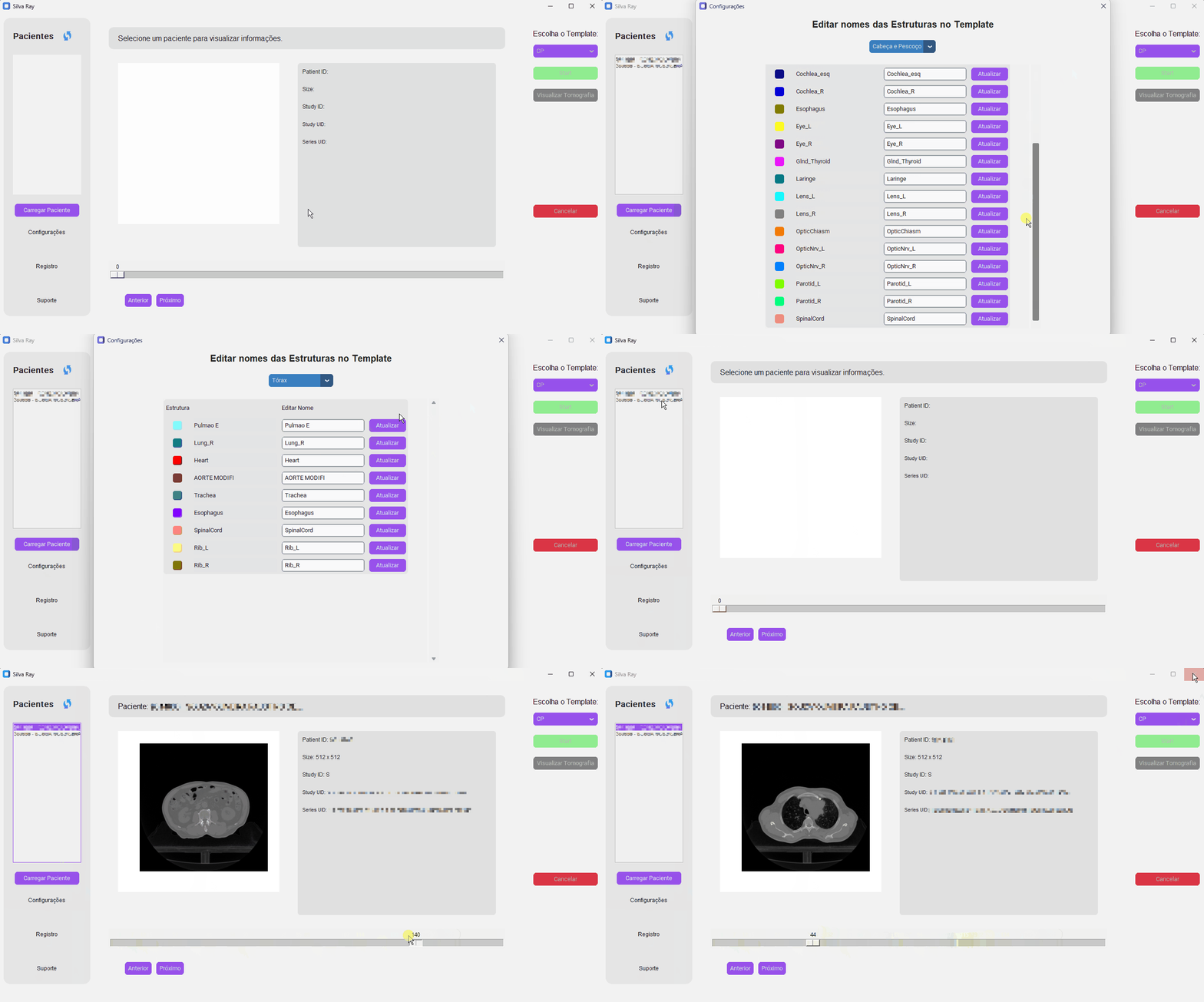
SegmentaR (Silva Ray)
Best for: national, cloud-based CT OAR without local GPU, Brazil
What it does. An excellent Brazilian cloud tool from Silva Ray that uses last-generation deep-learning AI to auto-contour organs-at-risk on planning CT for head & neck, thorax and pelvis — 47 OAR structures in total (19 head & neck, 15 thorax, 13 pelvis). It runs on remote GPUs (no local GPU needed), is fully DICOM-integrated, and its models are trained on hundreds of real clinical CT cases, with native Portuguese support and stated LGPD compliance.
- Cloud/GPU-as-a-service removes the need for on-site GPU
- Native Portuguese and explicit LGPD compliance
- Founded by medical physicists — radiotherapy professionals
- Covers the three highest-volume regions — 47 CT OAR structures, trained on hundreds of real cases
- Fully DICOM-integrated, with a companion QA platform (Silva Ray QA)
- Focused on CT OAR for head & neck, thorax and pelvis (MR/CBCT and tumour/GTV are outside the current scope)
- Cloud delivery — ideal for clinics without a local GPU; confirm on-prem options with Silva Ray if required
When to choose it: a Brazilian service that wants a national, cloud-based CT OAR tool with native Portuguese support and LGPD-aligned data handling, and prefers cloud inference with no local GPU to install or maintain.
When to avoid it: if you need MR/CBCT/PET support, automated tumour/GTV segmentation, an in-product collaborative editor, or fully on-prem/air-gapped deployment.
Other platforms. Tools such as Manteia AccuContour and other regional vendors also offer AI auto-contouring; evaluate product name, indications, modalities and integrations directly with the vendor before shortlisting.
Where AI auto-contouring still struggles
Even strong models have predictable weak spots. Budget review time accordingly:
Low-contrast structures
Soft-tissue boundaries with poor CT contrast (e.g. some abdominal organs) are error-prone.
Postoperative anatomy
Resections and reconstructions deviate from training data and need careful correction.
Imaging artifacts
Metal, motion and streak artifacts degrade automatic delineation.
Rare anatomy & variants
Uncommon anatomy and pediatric cases are under-represented in most models.
Target / GTV definition
Tumour and target delineation remains a physician-led clinical decision, not an automation task.
Site-specific protocols
Local contouring conventions may differ from a model’s training guideline.
Clinical caution: AI contours still require review
AI auto-contouring can accelerate organ-at-risk delineation and improve consistency, but final approval remains a clinical responsibility. Target definition, GTV and treatment decisions continue to depend on the physician and the care team. Generated contours should always be reviewed, edited and approved according to local clinical protocols and your department’s QA process — there is no “no-review” mode.
TG-263 and standardized structure nomenclature
Consistent structure naming (AAPM TG-263) makes auto-contouring outputs portable across systems, simplifies QA and reduces downstream errors. When comparing platforms, check whether contours can be exported with standardized nomenclature that matches your templates. For a deeper explanation, see our guide to TG-263 structure naming.
Buyer checklist
Before you commit, confirm each of these for your shortlist:
- Does it support your TPS (native or via DICOM RTSTRUCT)?
- Does it support your modalities (CT, MR, CBCT, PET)?
- Is the regulatory status acceptable in your country?
- Can clinicians review and edit contours easily?
- Does it fit your IT, security and data-residency requirements?
- Can you validate performance locally before clinical use?
- Is support available in your language and time zone?
- Is the pricing model and total cost clear?
Frequently asked questions
What is AI auto-contouring in radiotherapy?
AI auto-contouring (auto-segmentation) uses deep-learning models to automatically delineate organs-at-risk and selected planning structures on medical images, producing a starting set of contours that clinicians review and edit before treatment planning.
What is the best AI auto-contouring software for radiotherapy?
There is no single best option for every clinic. The best platform depends on your TPS ecosystem, modality support, deployment preferences, regulatory requirements and clinical review workflow. Use the comparison table above to build a shortlist.
Does AI auto-contouring replace clinicians?
No. It can reduce repetitive delineation work and improve consistency, but final review and approval remain a clinical responsibility, and target/GTV definition stays physician-led.
Can AI auto-contouring define GTV or tumours?
Generally no. Most platforms focus on organs-at-risk and selected planning structures. Gross tumour volume and target definition require clinical judgement and review.
What is the AutoSeg clinical assistant?
It is an evidence-grounded AI assistant built into the AutoSeg workspace. With the case context loaded (CT/MR, the drawn structures and patient data such as age and sex), the team can ask questions about fractionation, dose and clinical scenarios and receive answers grounded in the scientific literature, with references. It is decision support — the physician makes the final decision.
What should clinics check before buying AI contouring software?
TPS integration, supported modalities, regulatory status for your country, ease of clinical editing, IT/security fit, the ability to validate locally, and support in your language and time zone.
What is AutoSeg’s regulatory status?
Subject to regulatory clearance in some markets. Like every tool here, AutoSeg produces a starting point that requires clinical review.
Which AI contouring software is best for Eclipse?
Eclipse-centric departments often consider Radformation AutoContour (native Eclipse API) or Carina INTContour (Eclipse ESAPI); many vendor-neutral tools also export DICOM RTSTRUCT into Eclipse. Verify the integration depth you need with each vendor.
Which AI contouring software is best for RayStation?
RayStation departments usually start with RayStation’s own Deep Learning Segmentation, which runs inside the TPS. Vendor-neutral tools (e.g. MVision, TheraPanacea, MIM) also integrate via DICOM RTSTRUCT.
What is the difference between OAR contouring and target delineation?
OAR contouring outlines normal organs-at-risk to be spared; target delineation (GTV/CTV/PTV) defines the tumour and treatment volumes. AI is mainly used for OARs and selected planning structures, while targets remain physician-led.
How should AI-generated contours be validated?
Validate on your own representative cases using geometric metrics (e.g. Dice, surface distance) and qualitative clinical review, then commission and monitor performance per your department’s QA program before clinical use.
Evaluate AutoSeg for your radiotherapy workflow
See how browser-based collaborative contour review — plus an evidence-grounded clinical assistant — can fit your clinical workflow, with a vendor-neutral DICOM RTSTRUCT pipeline and local support.
Explore more: Compare AutoSeg · RT Viewer · Support · Home
References & sources
Product details come from public vendor information reviewed in 2026. Confirm regulatory status, availability and clinical-use permissions with each vendor for your country.
Official vendor pages