
Table of Contents
- What Is a DICOM Viewer?
- Why do radiotherapy professionals need a dedicated viewer?
- Types of DICOM Viewers
- Essential features of a DICOM viewer
- Radiotherapy image visualization
- DICOM RT objects and how viewers handle them
- Integration with PACS and TPS
- Basic DICOM file transfer operations
- Open-source vs. commercial viewers
- Security, HIPAA, and LGPD
- Further Reading
What Is a DICOM Viewer?
A DICOM viewer is software designed to open, display, and manipulate medical images stored in the DICOM (Digital Imaging and Communications in Medicine) format. While the DICOM standard defines how images are encoded, transmitted, and archived, the viewer is the tool that transforms this binary data into clinically interpretable images for radiologists, medical physicists, and radiation oncologists.
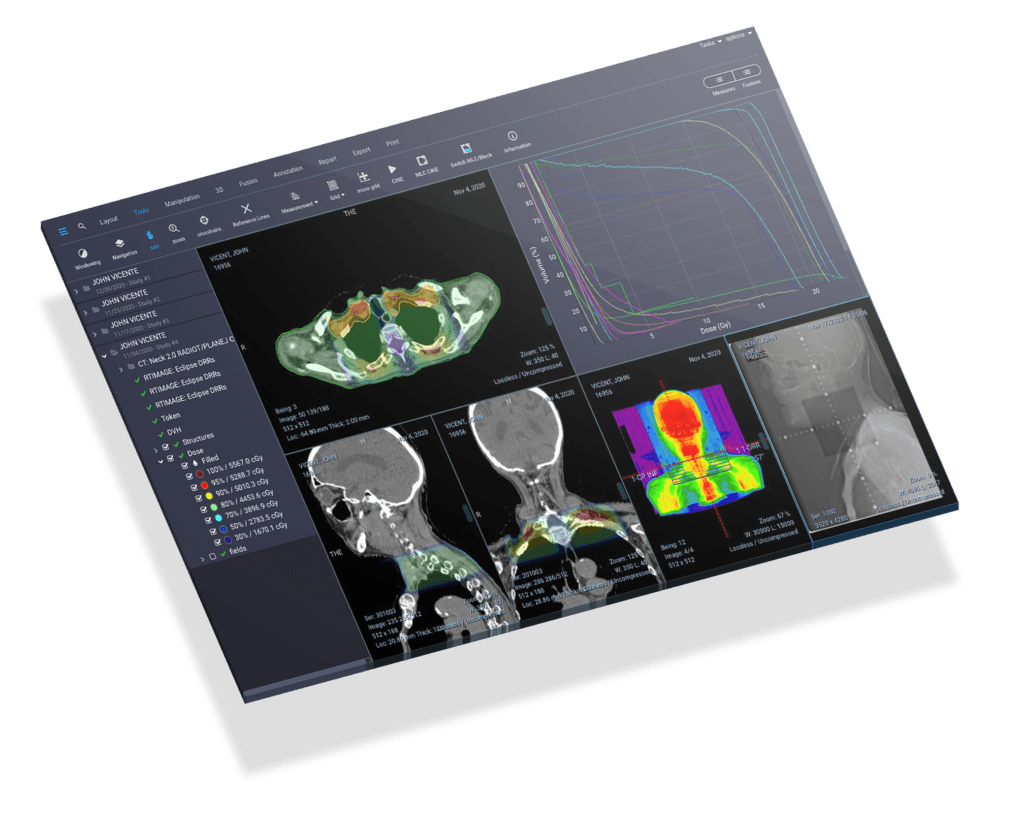
In clinical practice, a viewer goes far beyond simply “opening an image.” It must correctly render different modalities — computed tomography (CT), magnetic resonance (MR), PET, and ultrasound — and provide manipulation tools such as window/level adjustment, zoom, rotation, and measurements. For radiotherapy professionals, the requirements are even greater, as they involve viewing DICOM-RT specific objects such as structures, treatment plans, and dose distributions.
Why Do Radiotherapy Professionals Need a Dedicated Viewer?
Unlike diagnostic radiology, where the primary focus is the interpretation of anatomical images, radiotherapy requires the simultaneous visualization of multiple information layers: planning images (simulation CT), structure contours (organs at risk and target volumes), 2D and 3D dose distributions, and dose-volume histograms (DVH). A generic medical image viewer simply does not support this level of complexity.
Furthermore, the integration of DICOM in clinical practice requires that the viewer be able to interpret not only images but also the complex metadata present in the DICOM headers of each RT object, ensuring fidelity in the representation of therapeutic plans.
Types of DICOM Viewers
DICOM viewers can be classified into three main categories, each with distinct advantages and limitations:
Desktop Viewers
These are applications installed locally on the computer. They offer the best performance for 3D rendering and manipulation of large data volumes. Examples include 3D Slicer, Horos (macOS), OsiriX, and RadiAnt (Windows). They are ideal for workstations used by medical physicists and dosimetrists who require intensive processing.
Web-Based Viewers (Browser-Based)
These run directly in the browser without the need for installation. They use technologies such as WebGL and cornerstoneJS for rendering. They are the preferred choice for remote access, teleconsultation, and integration with hospital system services. The OHIF Viewer and dwv (DICOM Web Viewer) are popular open-source examples. The main limitation is performance with very large datasets.
Mobile Viewers
Applications for tablets and smartphones that allow quick viewing of DICOM images. They are useful for on-call consultations and case discussions but generally do not offer the advanced tools required for radiotherapy planning. Examples include OsiriX HD (iPad) and Horos Mobile.
Essential Features of a DICOM Viewer
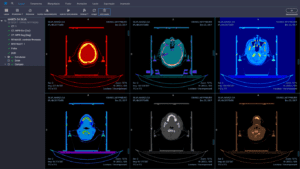
DICOM Image Viewer
A robust DICOM viewer must include a comprehensive set of features. The following are the capabilities that radiology and radiotherapy professionals should prioritize when evaluating a solution:
Window/Level Adjustment
The most fundamental feature of any viewer. It allows adjusting the brightness and contrast of the image to highlight different tissue types. Predefined presets for bone, lung, mediastinal, and soft tissue windows streamline the workflow. In radiotherapy, customized adjustments are essential for differentiating between tumor and normal tissue during contouring.
Multiplanar Reconstruction (MPR)
Multiplanar reconstruction allows viewing slices in the axial, sagittal, and coronal planes from a single data volume, without the need for additional acquisition. In radiotherapy, MPR is indispensable for verifying the extent of target volumes and their proximity to organs at risk in all directions.
3D Rendering
Three-dimensional visualization — whether through surface rendering or volume rendering — provides a spatial understanding of the volumes of interest. In radiotherapy, 3D rendering of contours overlaid on the patient’s anatomy assists in evaluating treatment plan coverage and communicating with the medical team.
Measurement and Annotation Tools
Tools for measuring distances, angles, areas, and volumes within images are indispensable. The ability to add annotations — text, arrows, geometric shapes — allows documenting findings and facilitating communication among professionals. DICOM objects have encoding structures that allow these annotations to be stored directly in the image metadata.
DICOM Header Viewing
Access to DICOM header metadata — patient name, ID, study date, modality, acquisition parameters — is fundamental for quality control and traceability. For details on DICOM file structure and DICOMDIR, we recommend the supplementary reading.
Multi-Frame and Series Support
The viewer must handle multi-frame images (such as cine-MR or fluoroscopy) and organize series by study, allowing fluid navigation between different acquisitions of the same patient.
Compatibility with Different Systems
The viewer must be compatible with different DICOM-enabled systems, such as PACS (Picture Archiving and Communication Systems) and RIS (Radiology Information Systems), to facilitate the exchange of images and information.
Radiotherapy Image Visualization
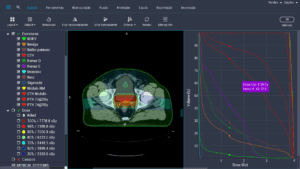
DICOM RT Viewer
An image viewer used to display radiotherapy treatment plans must have specific tools that go beyond those found in conventional diagnostic viewers. The following are the indispensable features:
- Multimodal support: the viewer must display images from different modalities — CT, MR, and PET — to provide a comprehensive view of the treatment area.
- 3D visualization: three-dimensional display of the treatment area, enabling better understanding of the target volume and surrounding anatomy.
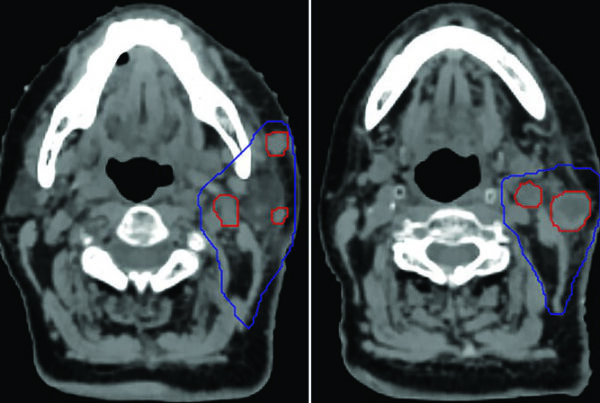
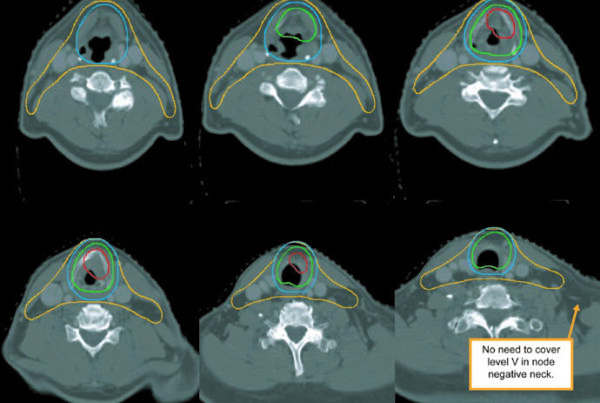
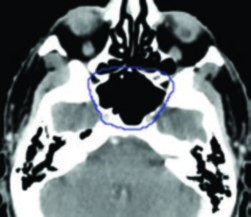
- Contouring tools: features for delineating structures on images, allowing the radiation oncologist to define the volumes that will receive radiation and the organs at risk that must be spared.
- Dose calculation and display: the ability to calculate and present the radiation dose distribution within the treatment volume, essential for determining and verifying the appropriate therapeutic plan.
- Isodose lines: display of curves connecting points of equal radiation dose, enabling the radiation oncologist to visually assess the dose distribution and confirm that the prescription is being met.
- Image fusion: the ability to co-register and overlay images from different modalities (CT-MR, CT-PET) to provide a more precise and detailed view of the region of interest.
- Multiple plan comparison: functionality to compare different treatment plans side by side, including DVH comparison, which is essential for selecting the optimal plan.
- Dose-volume histogram (DVH): an indispensable tool in radiotherapy, the DVH allows quantitative assessment of target volume coverage and dose to organs at risk. The viewer must support both cumulative and differential DVHs.
- DICOM compatibility: the ability to read and display all types of DICOM objects, including those specific to radiotherapy (RT Structure Set, RT Plan, RT Dose, RT Image).
DICOM RT Objects and How Viewers Handle Them
The DICOM standard defines a set of Information Object Definitions (IODs) specific to radiotherapy. Understanding these objects is fundamental for evaluating whether a viewer meets the needs of a radiotherapy department:
| DICOM RT Object | Description | What the viewer should display |
|---|---|---|
| RT Structure Set | Contours of anatomical structures (GTV, CTV, PTV, organs at risk) | Color overlay of contours on CT images, with fill and transparency options |
| RT Plan | Plan parameters: fields, gantry angles, MLC, prescribed dose | Geometric representation of fields (BEV), entrance angles, and MLC configuration |
| RT Dose | 3D distribution of the calculated radiation dose | Color wash dose map overlaid on CT, isodose lines, and DVH generation |
| RT Image | Portal images (DRR, EPID) used for position verification | Comparison of the portal image with the reference DRR for patient setup verification |
| RT Beams Treatment Record | Record of the treatment actually delivered | Comparison between planned and delivered parameters for quality control |
The correct interpretation of these objects depends on the viewer’s compliance with DICOM Conformance Statements, which describe exactly which IODs and services each implementation supports. When evaluating a viewer for use in radiotherapy, it is essential to review the manufacturer’s Conformance Statement to confirm support for the required RT objects.
Integration with PACS and TPS
In a modern radiotherapy department, the DICOM viewer rarely operates in isolation. It needs to integrate with the hospital information system ecosystem, especially:
- PACS (Picture Archiving and Communication System): the viewer must support DICOM network operations (C-FIND, C-MOVE, C-GET, C-STORE) to search for and retrieve studies directly from the PACS server. Integration via DICOM Query/Retrieve eliminates the need for manual file transfers.
- TPS (Treatment Planning System): the viewer must import data exported by the TPS — including RT Structure Set, RT Plan, and RT Dose — and present it faithfully. This allows medical physicists and dosimetrists to perform independent plan reviews.
- OIS/R&V (Oncology Information System / Record and Verify): integration with the record and verify system allows correlating planning data with the treatment actually delivered.
- DICOMweb: the latest standard for DICOM communication over HTTP/HTTPS, using services such as WADO-RS, STOW-RS, and QIDO-RS. Modern web-based viewers use DICOMweb for more efficient access compatible with cloud infrastructure.
For a broader overview of DICOM communication, SOPs, and DIMSE, consult our detailed guide on the topic.
Basic DICOM File Transfer Operations
Understanding DICOM network operations is fundamental to understanding how viewers interact with PACS servers and other network nodes:
- C-Store: sends data for storage. As a security check, the Storage Commitment service (SCM) can verify whether there is sufficient space before the operation begins and, upon completion, whether the data has been effectively stored before the sending application discards the data.
- C-Find: searches for studies, series, or instances on the server, returning results matching the search criteria (patient name, date, modality, etc.).
- C-Move: requests that the server send a composite object (usually a DICOM image) via a new association to the specified destination.
- C-Get: similar to C-Move, but the object is returned over the same association, without the requester needing to have an active DICOM server (SCP).
- C-Echo: similar to a “ping,” it verifies the low-level technical operation of the connection and the destination application (DICOM connectivity verification).
The basic DICOM communication process involves the SCU (Service Class User — the entity requesting a service) communicating with the SCP (Service Class Provider — the entity providing the service). First, they negotiate a mutually understood technical protocol, establishing an association. Through this association, requests are made and data is transferred using the composite operations described above. The association is then terminated.
Open-Source vs. Commercial Viewers
The choice between an open-source and a commercial viewer depends on the specific needs of the department, budget, and regulatory requirements. The table below compares the main options:
| Viewer | Type | Platform | RT Support | Highlight |
|---|---|---|---|---|
| 3D Slicer | Open-source | Windows, macOS, Linux | Yes (via SlicerRT) | Extensible via Python, ideal for radiotherapy research |
| Horos | Open-source | macOS | Limited | Successor to open-source OsiriX, excellent for diagnostic radiology |
| RadiAnt | Commercial | Windows | Basic | Intuitive interface, fast MPR and 3D, affordable cost |
| OsiriX MD | Commercial | macOS | Yes | FDA/CE certified, reference for Mac workstations |
| OHIF Viewer | Open-source | Web (browser) | Yes | Zero-footprint, ideal for integration with cloud PACS |
For research and academic environments, 3D Slicer with the SlicerRT extension stands out as the most versatile option. It can load RT Structure Set, RT Dose, and RT Plan, generate DVHs, perform image fusion, and has an active developer community in the radiotherapy field. For clinical environments requiring regulatory certification (ANVISA, FDA, CE), commercial viewers like OsiriX MD offer greater legal assurance.
Security, HIPAA, and LGPD
Patient data security is a central concern when choosing any DICOM viewer. Both HIPAA (Health Insurance Portability and Accountability Act, in the USA) and LGPD (Lei Geral de Proteção de Dados, in Brazil) impose strict requirements on the handling of personal health data:
- User authentication: the viewer must require access credentials and, preferably, support multi-factor authentication (MFA) and integration with directory services (LDAP/Active Directory).
- Data encryption: DICOM data must be encrypted both in transit (TLS for DICOM and DICOMweb communication) and at rest (disk or database encryption).
- Anonymization and pseudonymization: the viewer must offer tools to remove or mask personally identifiable information (PII) from DICOM headers when images are used for teaching, research, or external sharing.
- Role-based access control (RBAC): different permission levels for physicians, physicists, technologists, and researchers, ensuring the principle of least privilege.
- Audit trail: a detailed log of all actions performed in the system, including who accessed which images and when — an explicit requirement of both HIPAA and LGPD.
- IHE compliance: IHE (Integrating the Healthcare Enterprise) profiles such as ATNA (Audit Trail and Node Authentication) provide a standardized framework for implementing the security requirements above.
In the Brazilian context, the LGPD classifies health data as sensitive data (Art. 5, II), requiring specific consent or grounding in legal bases such as health protection (Art. 11, II, f). Institutions using DICOM viewers must ensure that the software complies with these requirements and that organizational data protection policies are documented and implemented.
Further Reading
To deepen your knowledge of DICOM and related topics, check out our other articles:
- What Is DICOM? — An introductory guide to the DICOM standard
- DICOM in Clinical Practice: A Complete Integration Guide
- DICOM Objects: Data Encoding and SQ Structure
- DICOM Communication: SOPs, DIMSE, and Networking in Practice
- DICOM Files and DICOMDIR: Structure, Media, and Security
- PACS Integration, IHE, and Hospital Disaster Recovery
The DICOM standard is maintained by NEMA (National Electrical Manufacturers Association). To consult the official documentation, visit the DICOM Standard.